
A/B testing + personalization
Test anything.
Ship the winner.
Server-side A/B testing and personalization built into the CMS you already use. Test any section, page, or template, target the shoppers who matter, and promote the winner straight to your live storefront.
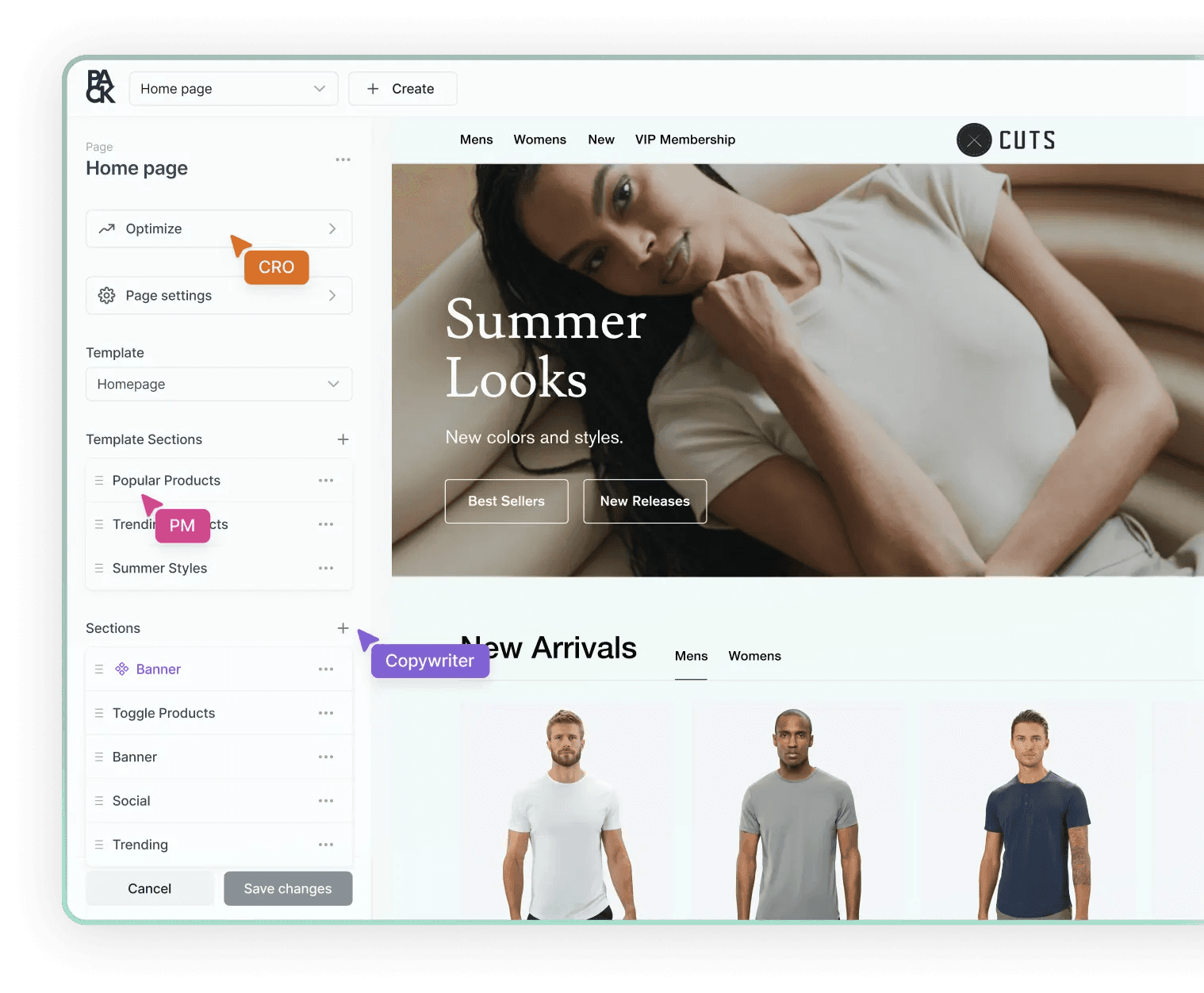
01 — What you can test
Not just button colors. Any content on your storefront.
A variant is just an override of content you already manage in Pack. Build it in the Customizer, preview it, and test it — no scripts, no code per test.
Sections
Swap the content of any section: heroes, product grids, promo bars, reviews, FAQs.
Pages
Change a landing page’s sections and their order, or test an entirely different layout.
Products & collections
Test PDP and collection page content, structure, and merchandising per variant.
Templates
Test a template once and every page that uses it runs the experiment.
Site settings
Test global elements like header, navigation, announcement bars, and theme settings.
Articles & blogs
Test editorial content and blog layouts that drive discovery and SEO traffic.
02 — How a test runs
From idea to winner, without a dev ticket.
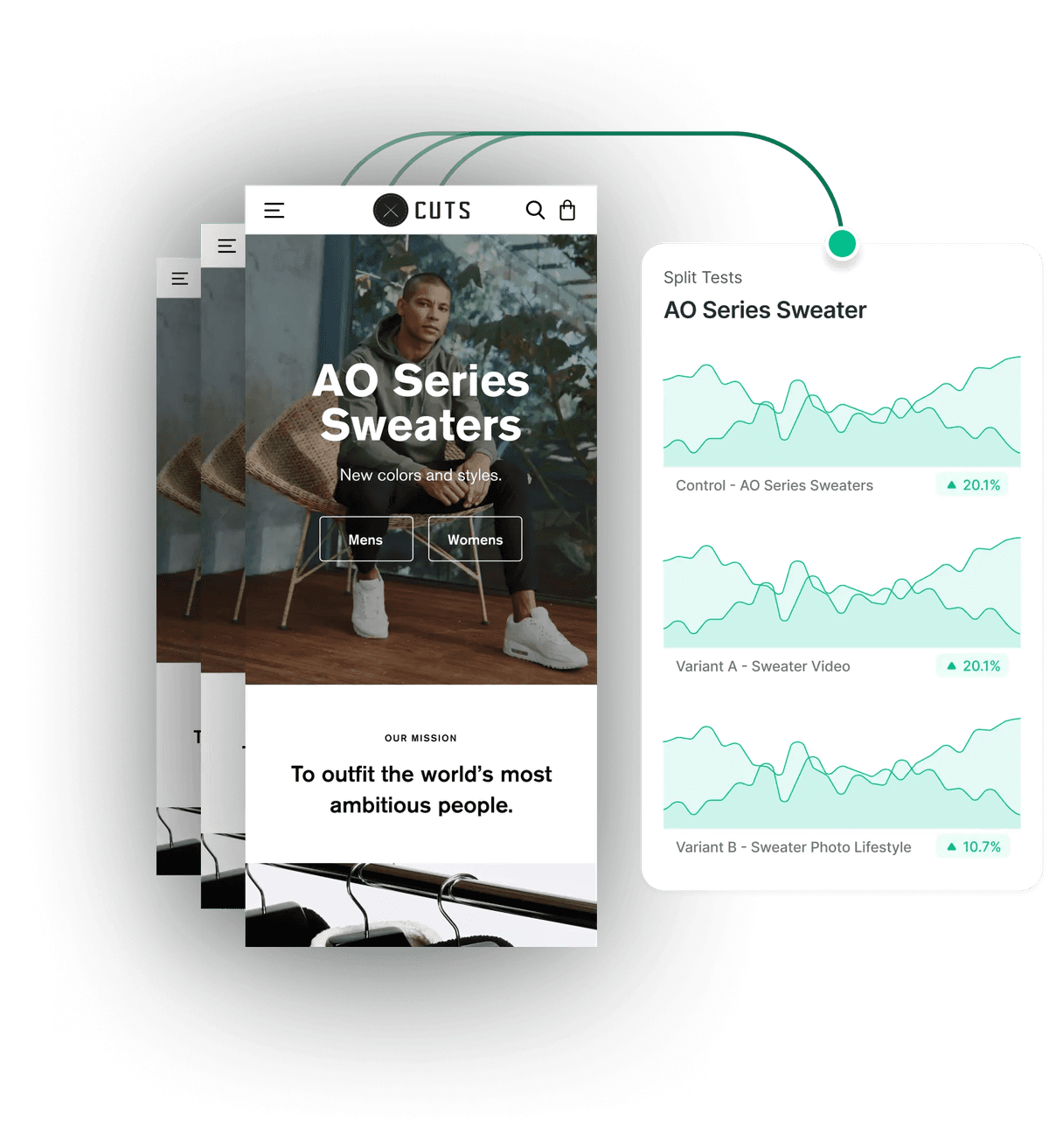
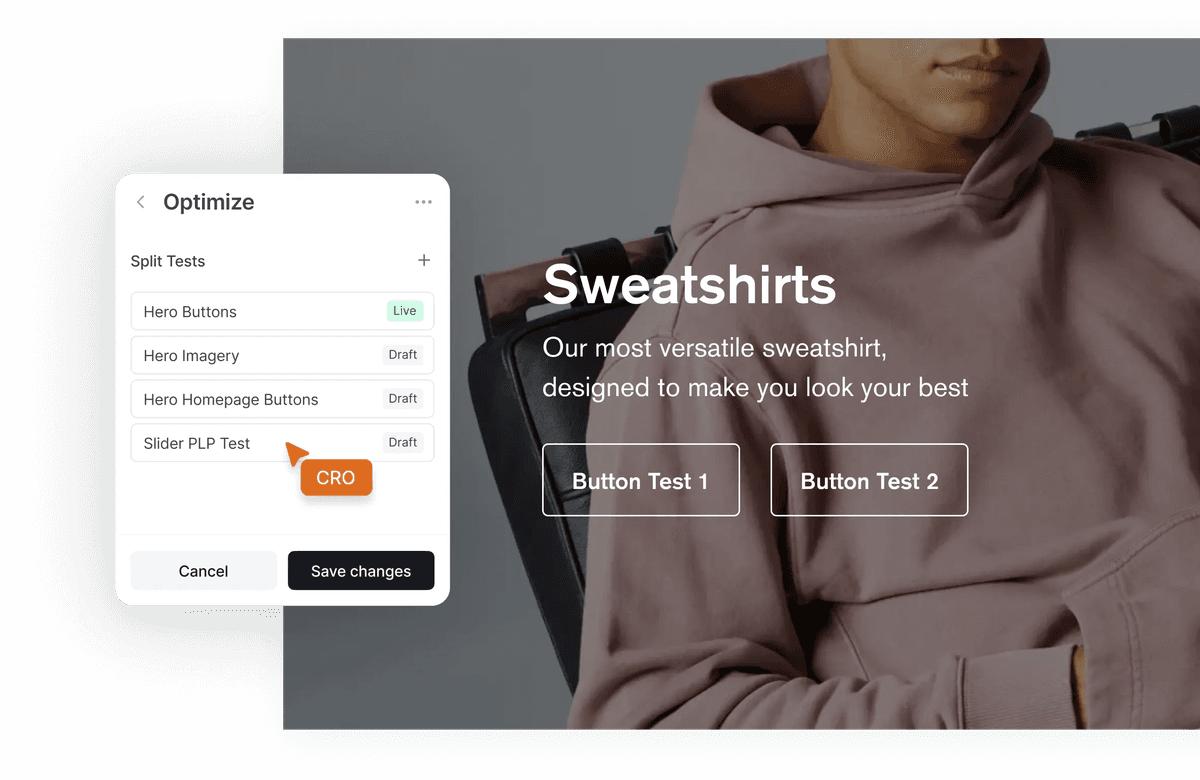
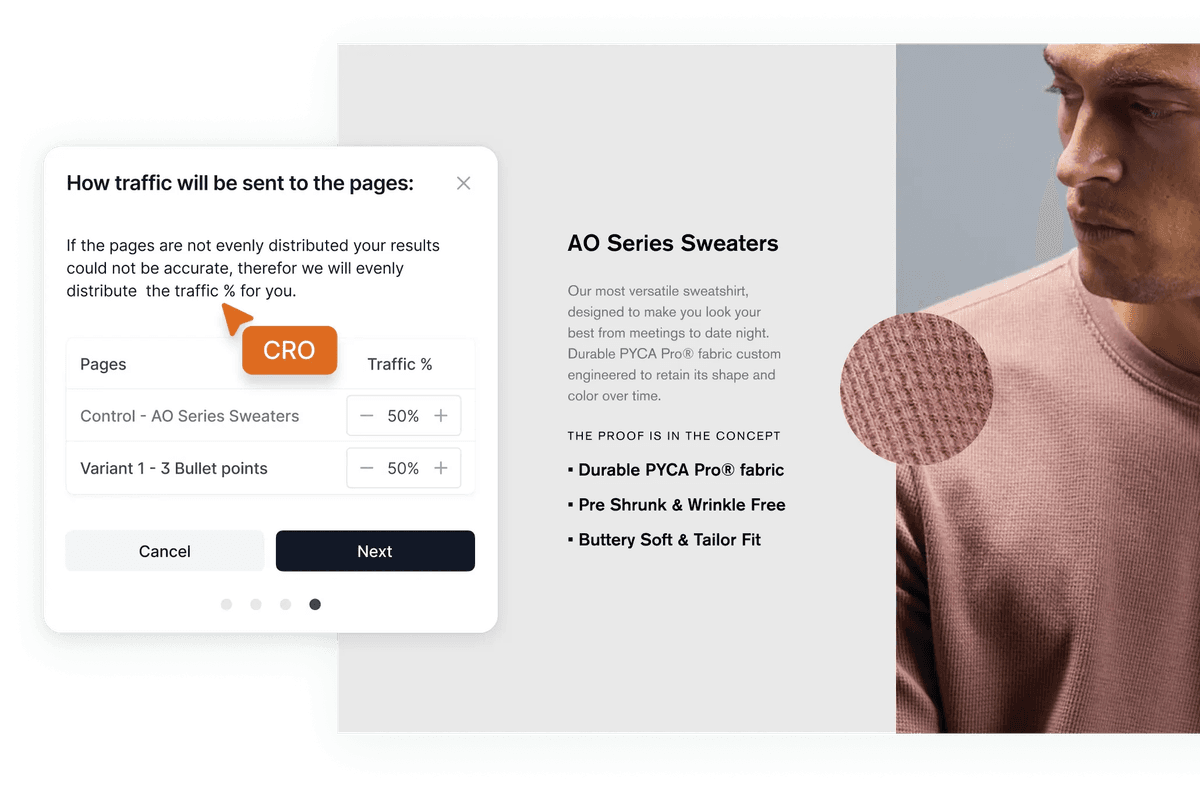
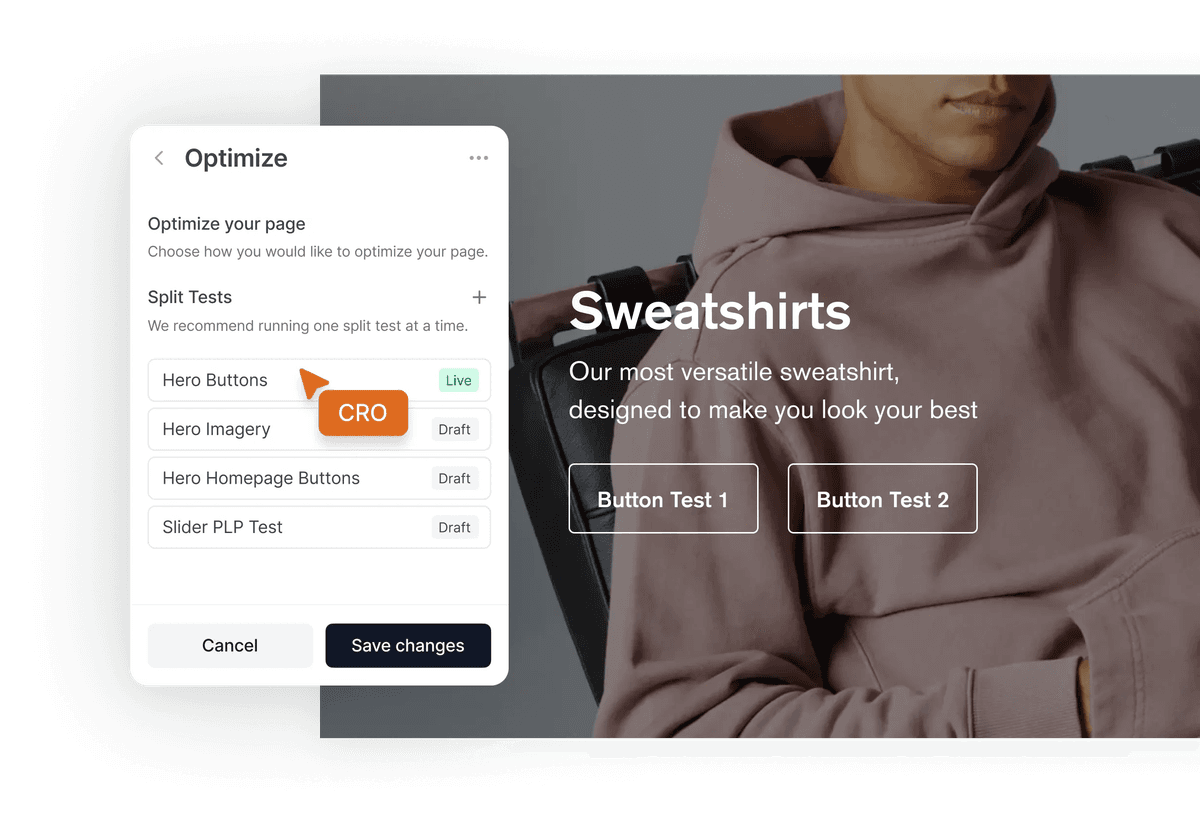
Every new test starts with a control and a “variant B” at a 50/50 split. Edit the variant in the same visual editor your team uses every day and preview each one before it goes live.
- Add as many variants as you need — traffic rebalances automatically
- Preview any variant with the Customizer’s perspective picker
- Force a variant in QA with request headers
Run a test on all eligible traffic, on inline rules, or on a saved audience. Rules combine URL, path, query string, and every UTM parameter with exact, contains, and regex matching.
- url, path, query, and utm_source / medium / campaign / term / content
- equals, contains, regex, is set — all rules must match
- Or reuse a saved audience across tests and personalizations
Shoppers are assigned to a variant at the edge before the page renders, and assignments stay sticky. Your storefront renders the right content on first paint — no flicker, no layout shift.
- Weighted assignment by traffic share
- Count exposure on page load or when the tested element is viewed
- Schedule start and end times, timezone-aware
End the test and promote the winning variant. Pack makes its content the new live version on every page, section, and template it touched — no rebuild, no copy-paste.
03 — Results you can trust
Bayesian results on your own data.
No false winners.
Every test reports lift, a 95% credible interval, chance to win, and risk — computed from your GA4 data in BigQuery. A result only counts as significant past 100 visitors and a 0.5% minimum lift, so huge samples don’t crown noise.
- AControlAdd to bag
3.1%
CVR - BPrice in buttonAdd to bag — $38Winner
3.4%
CVR
Auto-stop at 95%

Variant B won: +9.7% conversion at 96% chance to win. Want me to promote it to 100% of traffic?
- Goals preset
- 5
- Credible interval
- 95%
- Device splits
- 3
Goals preset
Credible interval
Device splits
Example results · illustrative numbers
04 — Goals & reporting
Measure what moves revenue.
Every test ships with five revenue-focused goals. Add your own from any event your storefront sends.
Add-to-cart rate
Share of exposed visitors who added to cart.
Begin checkout rate
Share of exposed visitors who started checkout.
Conversion rate
Share of exposed visitors who purchased.
Average order value
Revenue per purchaser — not diluted by non-buyers.
Revenue per visitor
Revenue across every exposed visitor, counted once per test.
Custom goals
Any event, with filters and unique, total, sum, average, or median aggregation.
05 — Audiences & personalization
Show every shopper the version that fits.
Build reusable audiences with AND / OR / NOT logic, then use them to target tests or serve personalized experiences — rendered server-side, so the right content appears on first paint.
Device
Mobile, tablet, or desktop.
New vs. returning
First visit or repeat shopper, from Pack, GA4, or Shopify cookies.
Country & region
Geo-targeted content by market, country, or region.
Traffic source
Paid, organic, social, email, direct, or referral — GA4-style channels.
Campaign (UTM)
Match any UTM parameter from your ads and emails.
Logged in vs. guest
Different experiences for signed-in customers.
Customer tags
Target Shopify customer tags like VIP, wholesale, or subscriber.
Lifetime value & orders
Treat first-time buyers and high-LTV customers differently.
Cart & subscription state
React to what’s in the cart or a shopper’s subscription status.
Cookies
Match any first-party cookie, with consent-aware rules.
06 — Agents
Your agents can run the whole test program.
Pack’s MCP server gives AI agents the same testing tools your team has: create tests, edit variant content, set goals, schedule, read results, and promote winners. Every change lands in a release your team reviews.
01 / Launch
Spin up a test from a sentence.
Agents create the test, write the variant, and schedule it — your team approves before shoppers see it.
agent — ~/halden-storefront — launch
~/halden-storefront main ❯ agent --mcp pack
⏺pack - test_upsert (MCP)(handle: "pdp-cta-price", impressionTrigger: "ON_ELEMENT_VIEW")
⎿Test created · control + variant-b at 50/50 · 5 goals added
⏺pack - test_variant_override_upsert (MCP)(variant: "variant-b", section: "pdp-hero")
⎿CTA → “Add to bag — $38”
⏺pack - test_schedule (MCP)(start: "Mon 9:00", end: "+14d", timezone: "America/Los_Angeles")
⏺Scheduled. Waiting on your review to go live.
>
02 / Read results
Ask how a test is doing.
Agents read Bayesian results by variant, day, or device and tell you when there’s a real winner.
agent — ~/halden-storefront — read results
~/halden-storefront main ❯ agent --mcp pack
⏺pack - test_goal_metric (MCP)(test: "pdp-cta-price", groupBy: "variant", device: "mobile")
⎿Conversion rate · B +9.7% · chance to win 96% · significant
⎿Revenue per visitor · B +6.1% · chance to win 91% · not yet significant
⏺B is winning on conversion. Want me to end the test and promote it?
>
03 / Personalize
Turn a winner into a personalization.
Agents build the audience and the experience, then hand it to your team to approve.
agent — ~/halden-storefront — personalize
~/halden-storefront main ❯ agent --mcp pack
⏺pack - audience_create (MCP)(rules: { all: ["visitor_recency = returning", "referrer_source = email"] })
⎿Audience “returning-email” created
⏺pack - personalization_create (MCP)(audience: "returning-email", section: "hero", variant: "refill-bundle")
⏺Personalization drafted. Waiting on your review.
>
FAQ
FAQs
Questions about testing and personalization on Pack? We’re here to help.
Shoppers are assigned to a variant at the edge before the page renders, and your storefront renders that variant server-side. The right content appears on first paint — no client-side swap, no flash of the original, no layout shift.
Any content you manage in Pack: sections, pages, products, collections, templates, site settings, articles, and blogs. Page-level variants can change which sections appear and in what order, not just their content.
From your own GA4 data in BigQuery. Connect your dataset in Settings → Integrations and Pack computes results with a Bayesian engine: lift, 95% credible interval, chance to win, and risk, broken down by variant, by day, and by device. Your data stays in your warehouse.
A result is only marked significant when the chance to win is at least 95%, the credible interval excludes zero, the sample is at least 100, and the lift clears a 0.5% practical minimum. Each visitor is counted once per test, so repeat visits don’t inflate results.
You can end a test manually or on a schedule. Promote the winning variant and its content becomes the live version everywhere it applied — pages, sections, templates, and settings.
A test splits traffic between a control and variants to learn what works. A personalization serves one experience to everyone in an audience, with no control group. Both use the same audiences and the same editor.
Yes. Pack’s MCP server exposes tools to create and schedule tests, edit variant content, manage goals, read results, promote winners, and build audiences and personalizations. Agent changes land in a release your team reviews before shoppers see them.
Playbook designs and runs experiments against real traffic to find what converts for each audience. Take the winners into Pack and build them in as personalizations on your storefront.