
Visual CMS
Edit your live storefront.
Publish when it’s ready.
Click any section on your real Hydrogen storefront to edit it. Bundle changes into a release, preview the whole thing, and publish on your schedule — no code, no dev ticket.
01 — Visual editing
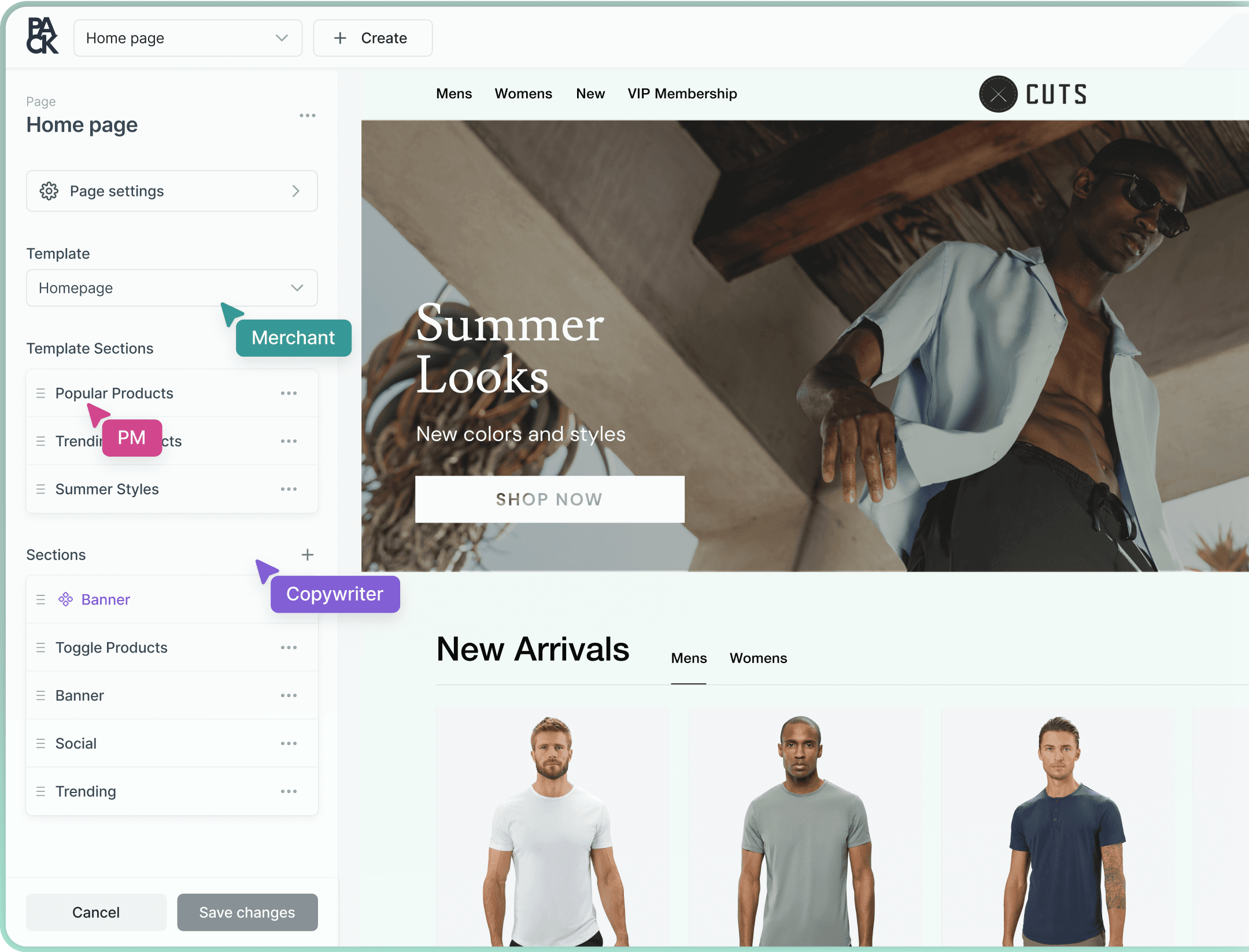
Your real storefront is the editor.
The Customizer loads your actual Hydrogen storefront, not a mockup. Hover and click any section or field in the preview to edit it in place.
- Move, duplicate, hide, or delete sections right in the preview
- Preview desktop, tablet, and mobile with the viewport resizer
- Jump anywhere with the ⌘K command palette
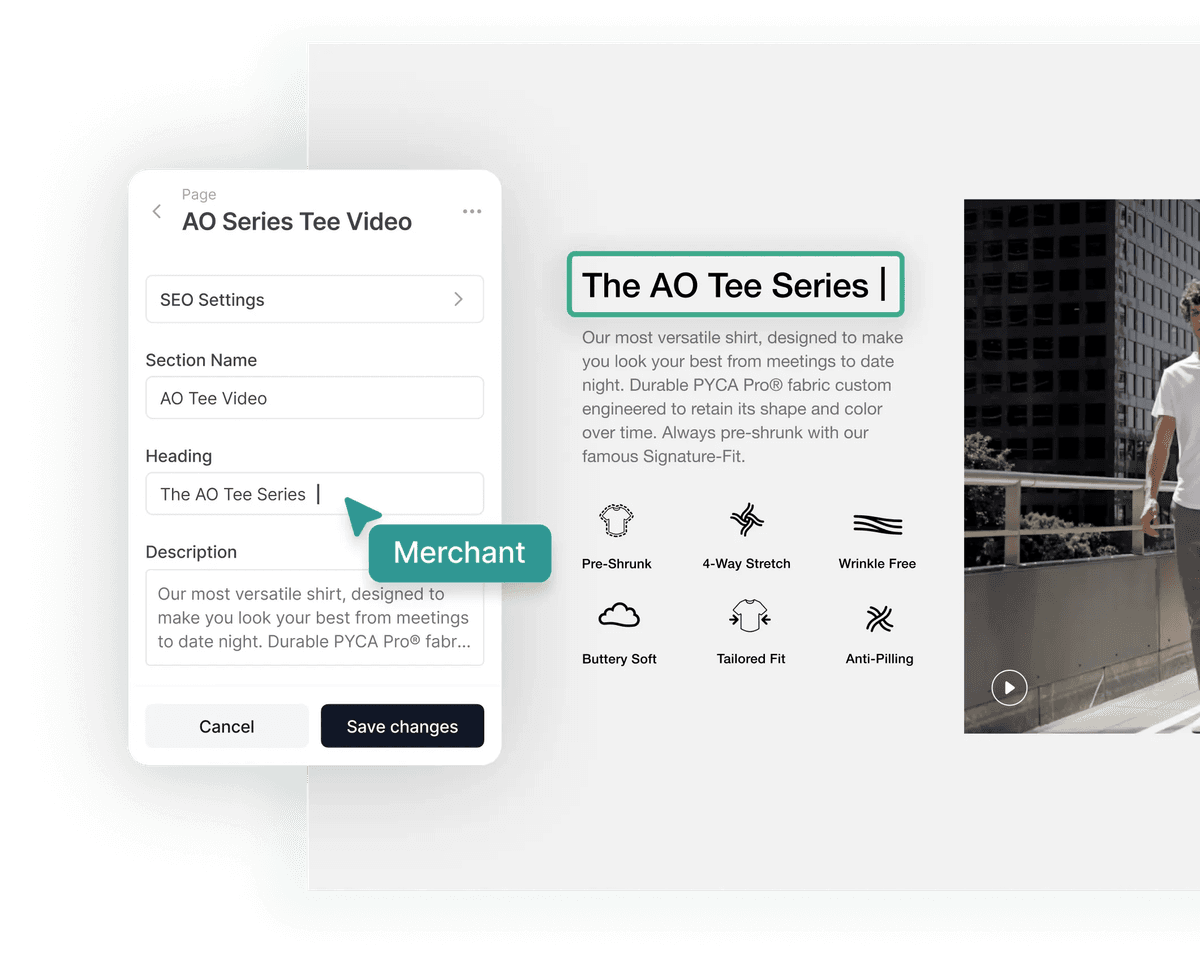
Developers define sections and their fields in code. Your team builds pages from that library — on-brand every time, with no developer in the loop.
- Sections with thumbnails, categories, and default content
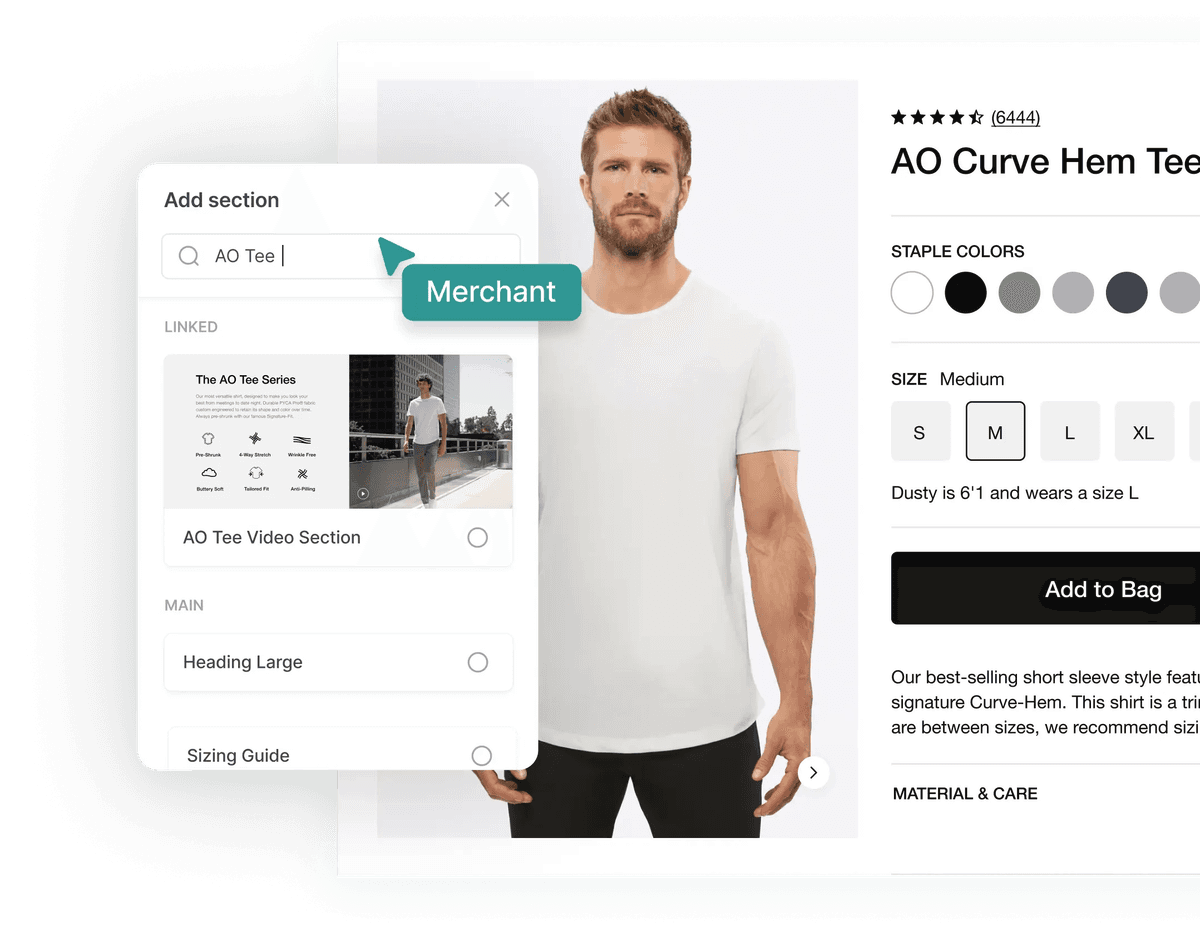
- Reusable linked sections: edit once, update every page
- Search the library to add sections fast
Adjust color, background, borders, sizing, padding, margin, gap, position, and shadow from a properties panel — on any element your developers open up for styling.
Set templates for products, collections, pages, blogs, and articles. Rules assign them automatically by product tag or product type, and any page can override, hide, or disconnect a template section.
02 — Every surface
One editor for your whole storefront.
Everything your shoppers see, managed in one place with the same tools.
Pages
Landing pages, campaigns, and evergreen content.
Product pages
Rich PDP content on top of your Shopify catalog.
Collection pages
Merchandised collection layouts and editorial.
Blogs & articles
Editorial content with the same section library.
Reusable sections
Shared sections that update everywhere they’re used.
Templates
Default layouts per content type, applied by rule.
Site settings
Storefront-wide settings with their own history and publish.
Localized content
Every content type, per locale, with fallbacks.
03 — Releases & workflow
Ship big launches without crossed fingers.
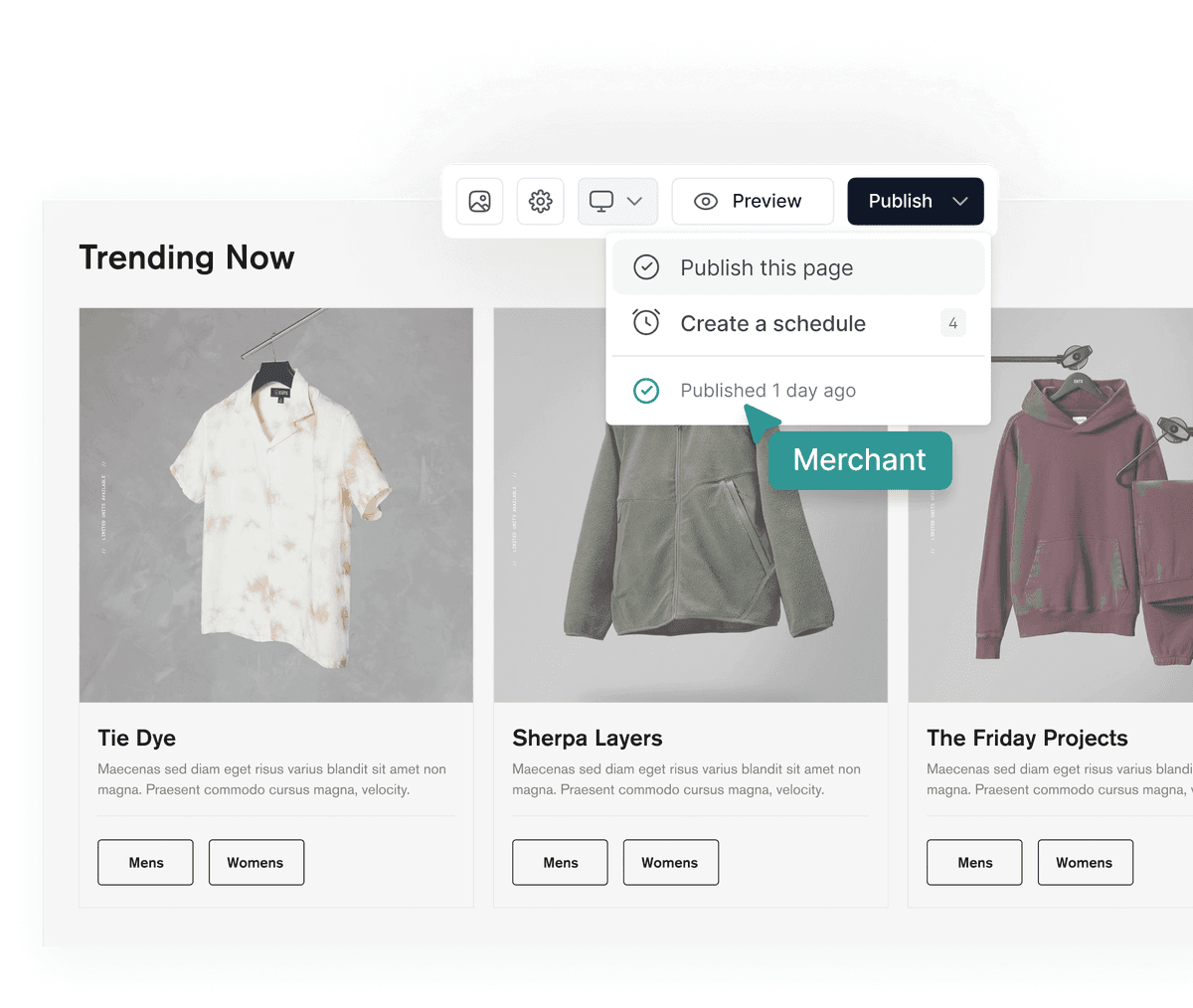
Saving never makes content live. Group changes into releases, preview them on your storefront, and publish them together — now or on a schedule.
Content releases
Bundle drafts across pages, products, collections, sections, templates, and settings. Publish them atomically, in dependency order.
Release preview
Preview the entire release on your live storefront before it ships, alongside everything that’s already live.
Scheduled publishing
Schedule a release to go live at an exact time in any timezone. Ideal for drops, sales, and launches.
Conflict detection
If live content changed since a draft was started, Pack flags it with a field-by-field diff. Rebase or overwrite — your call.
Version history
Every save is a revision, attributed to who made it. Compare versions and restore any one in a click.
Environments
Separate content environments like staging and production, with full-environment copy.
04 — Built for Shopify
Shopify-native, not Shopify-adjacent.
Pack works with your Shopify data instead of copying it somewhere else.
Product, collection & bundle pickers
Reference live Shopify catalog data in any section.
Metaobject sync
Back a section with a Shopify metaobject — publishing syncs it to Shopify.
Catalog sync
Product and collection pages stay in sync with Shopify through webhooks.
Media in Shopify Files
Upload, organize in folders, and add alt text — stored in Shopify Files.
SEO on every page
Title, description, image, keywords, noindex, and nofollow on all content.
Instant cache refresh
Publishing clears your storefront’s CMS cache at the edge.
05 — For developers
40+ field types. Defined in code.
Developers describe sections and storefront settings in their Hydrogen code; the Customizer picks them up live. Pick from field types built for commerce content.
Text & rich content
Text, textarea, rich text with tables and code blocks, markdown, HTML, Shopify rich text, slug, tags.
Choice
Select, radio group, checkbox group, toggle.
Numbers & measures
Number, money, weight, dimension, volume, rating, date.
Media & style
Image, color, link, favicon.
Structure
Groups, lists, repeatable group lists, nested blocks, JSON.
Commerce & references
Products, collections, bundles, metaobjects, references, template selector.
06 — Agents
Your CMS, open to AI agents.
Pack’s hosted MCP server lets Claude and other agents read, draft, and schedule content across your storefront — 75 tools, secured with OAuth. Agents save drafts and build releases; your team decides what ships.
01 / Edit
Update content from a sentence.
Agents find the right page and section, make a precise edit, and save it as a draft.
agent — ~/halden-storefront — edit
~/halden-storefront main ❯ agent --mcp pack
⏺pack - page_get (MCP)(handle: "home")
⎿Home · 9 sections · hero is “Summer essentials”
⏺pack - section_patch (MCP)(id: "hero", op: "replace", path: "/heading", value: "The fall edit is here.")
⏺Draft saved. Not live until you publish.
>
02 / Release
Bundle a launch and schedule it.
Agents gather changes into a release, check for conflicts, and schedule it for the exact launch time.
agent — ~/halden-storefront — release
~/halden-storefront main ❯ agent --mcp pack
⏺pack - release_create (MCP)(name: "Fall launch")
⏺pack - release_move_page_changes (MCP)(release: "fall-launch", pages: ["home", "fall-collection"])
⎿2 pages · 6 sections · 0 conflicts
⏺pack - release_schedule (MCP)(release: "fall-launch", at: "Mon 9:00", timezone: "America/Los_Angeles")
⏺Scheduled. Preview the release on your storefront anytime before then.
>
03 / Audit
Ask questions about your content.
Agents can list, search, and compare content and revisions across every content type.
agent — ~/halden-storefront — audit
~/halden-storefront main ❯ agent --mcp pack
⏺pack - product_list (MCP)(fields: ["handle", "seo"])
⎿214 product pages · 17 missing a description
⏺Want me to draft descriptions for those 17 into a release?
>
In their words01 / 02
“The conversion increase has been massive for us.”
Steven Borrelli/Founder & CEO, Cuts Clothing
FAQ
FAQs
Exploring Pack’s visual CMS? Here’s what teams usually ask.
Your real storefront. The Customizer loads your Hydrogen storefront and overlays editing controls on it, so what you see while editing is what shoppers get.
Your developers define sections and their fields in code, using 40+ field types including Shopify product, collection, bundle, and metaobject pickers. The Customizer picks those definitions up live, so new sections are available to editors as soon as they ship.
A release bundles drafts across pages, products, collections, sections, templates, and settings so they go live together. You can preview the whole release on your storefront, schedule it for an exact time, and Pack flags any conflicts with live content before it publishes.
Yes. Every save creates a revision attributed to the person who made it. You can compare revisions and restore any version of a page, section, product, collection, or site settings in one click.
Yes. Pack supports multiple locales across every content type, with fallback chains so untranslated content falls back gracefully to your primary locale.
Pack is built for Shopify. It references live catalog data, keeps product and collection pages in sync through webhooks, can sync sections to Shopify metaobjects, and stores media in Shopify Files.
Yes. Pack’s hosted MCP server, secured with OAuth, gives agents 75 tools to read, draft, publish, and schedule content and releases. You can see and revoke connected agents anytime from your profile.
Most headless CMSs are built for every channel and need a developer for every page. Pack is built specifically for Shopify storefronts: a visual editor on your real site, a section library your developers control, and releases, testing, and personalization in the same place.